
Products · Console
The front door for when you want the full view.
The Console is a web workspace on top of the same engine that runs your inbox. Same agents, same knowledge base, same duplicate checks, same approval gate. Use it every day, or never — email works on its own.
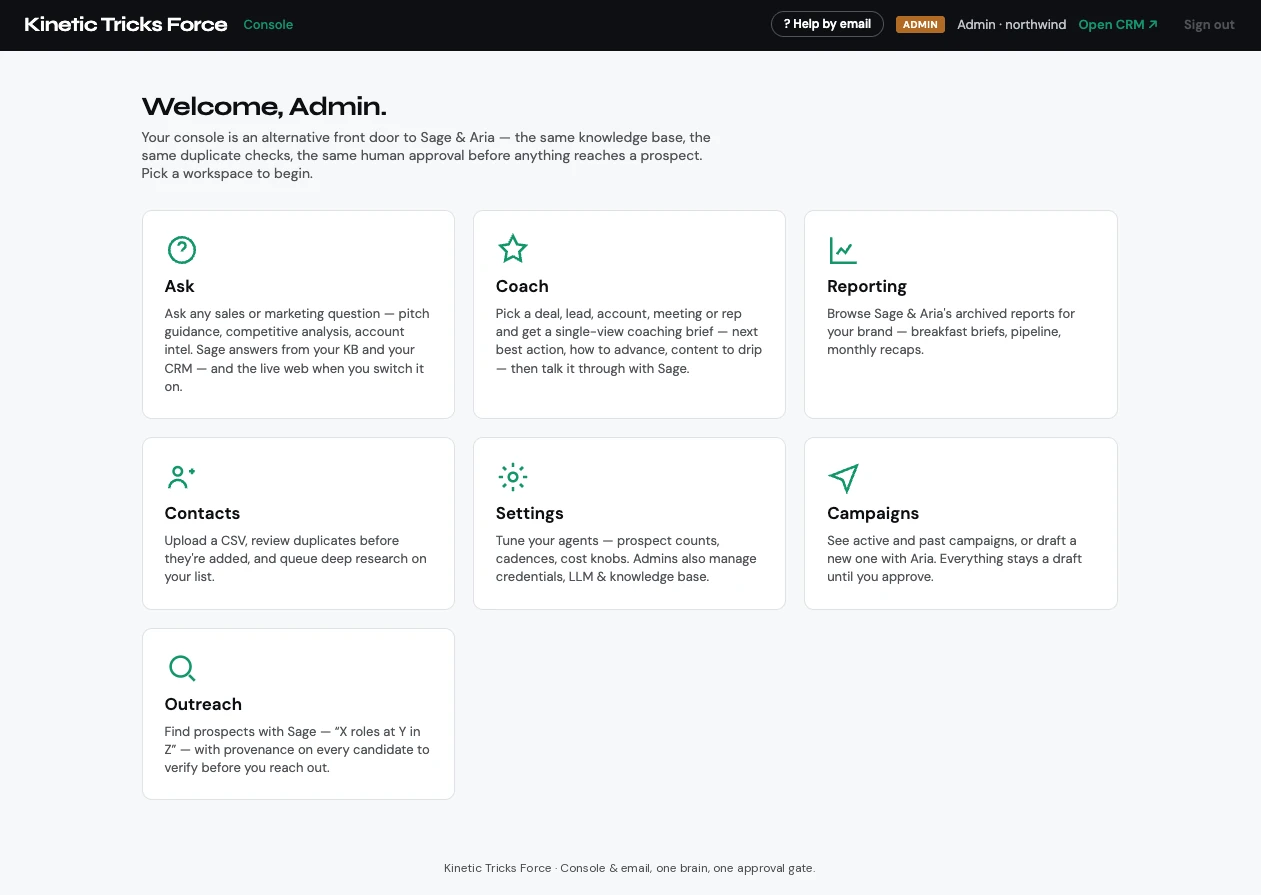
Seven workspaces.
Ask
Any sales or marketing question — pitch guidance, competitive analysis, account intel — answered from your knowledge base and CRM, and the live web when you switch it on.
Coach
Pick a deal, lead, account, meeting, or rep and get a single-view coaching brief: next best action, how to advance, content to send, and risks.
Reporting
Sage and Aria’s archived reports — morning briefs, weekly plans, monthly recaps, and the manager rollup.
Contacts
Upload a list, merge exports from LinkedIn, Outlook, and Apple into single contacts, review duplicates before anything is added, and queue deep research.
Campaigns
Draft a new campaign with Aria from a sentence or a PDF brief, manage active ones, and approve what goes out.
Outreach
Find prospects on demand — “X roles at Y in Z” — with provenance on every candidate to verify before you reach out.
Settings
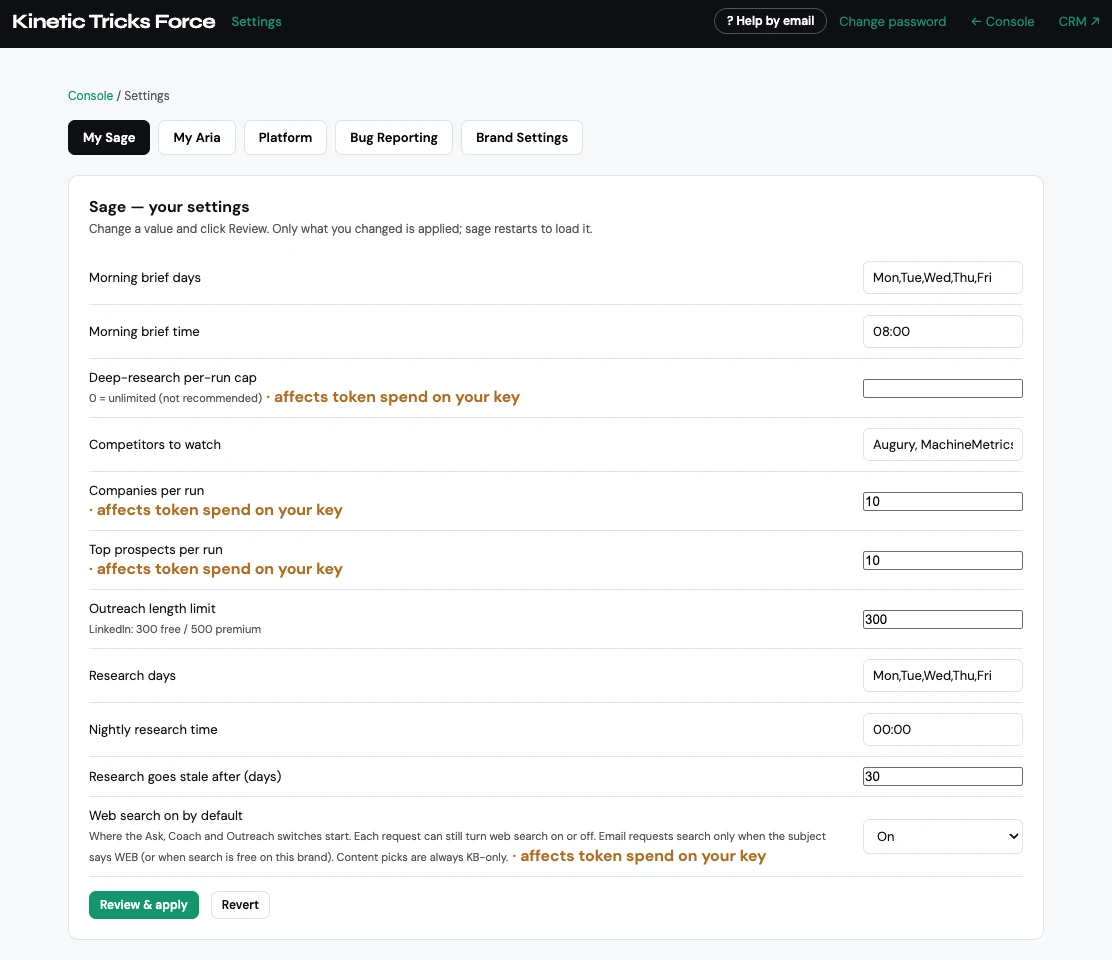
Tune each agent — cadence, prospects per run, posts per week — with every knob that affects AI spend labeled. Admins manage the AI provider, email, knowledge base, and backups.
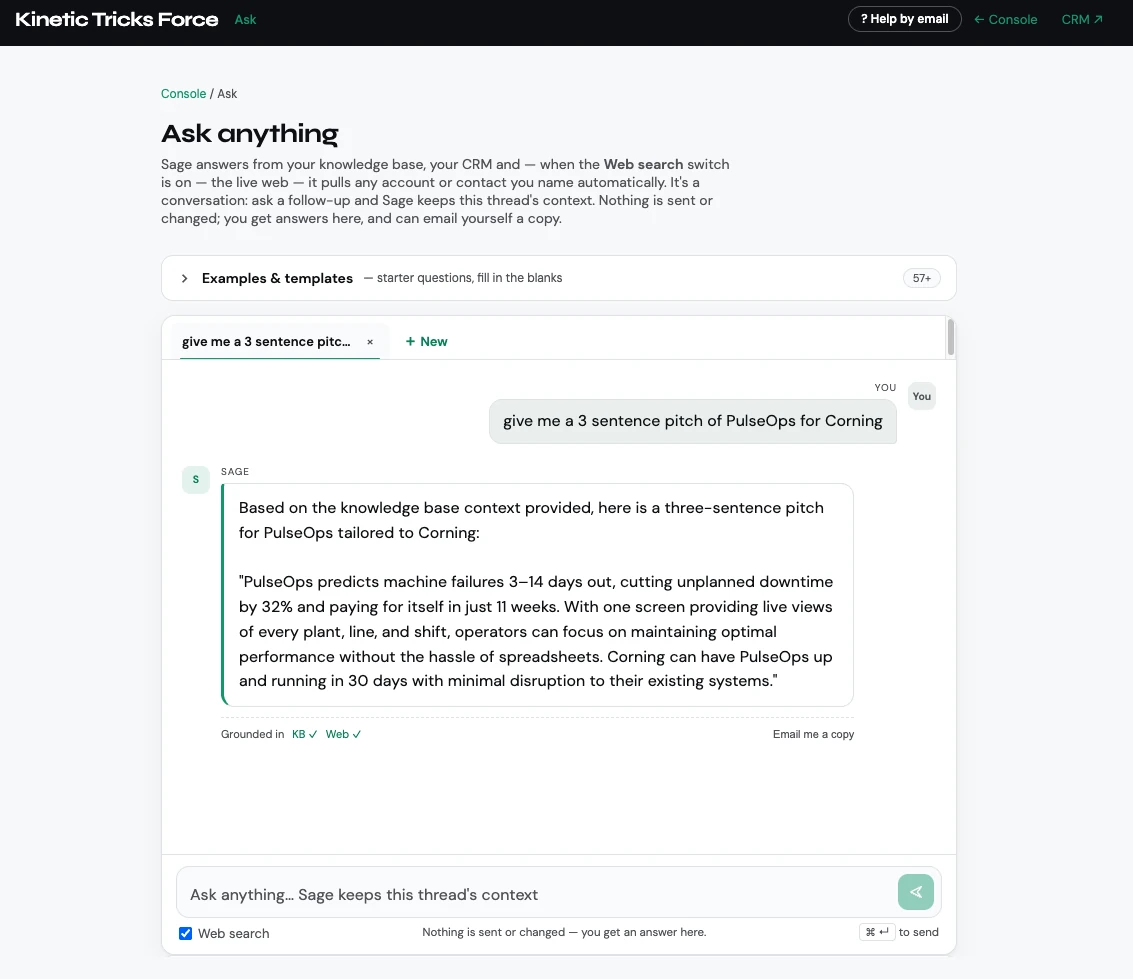
Ask anything.
Sage answers from your knowledge base, your CRM, and — when you switch it on — the live web. Every answer shows what it was grounded in. Ask a follow-up and it keeps the thread; email yourself a copy when it is worth keeping. More than fifty starter questions cover pitching, competitive positioning, objections, deal strategy, and content.
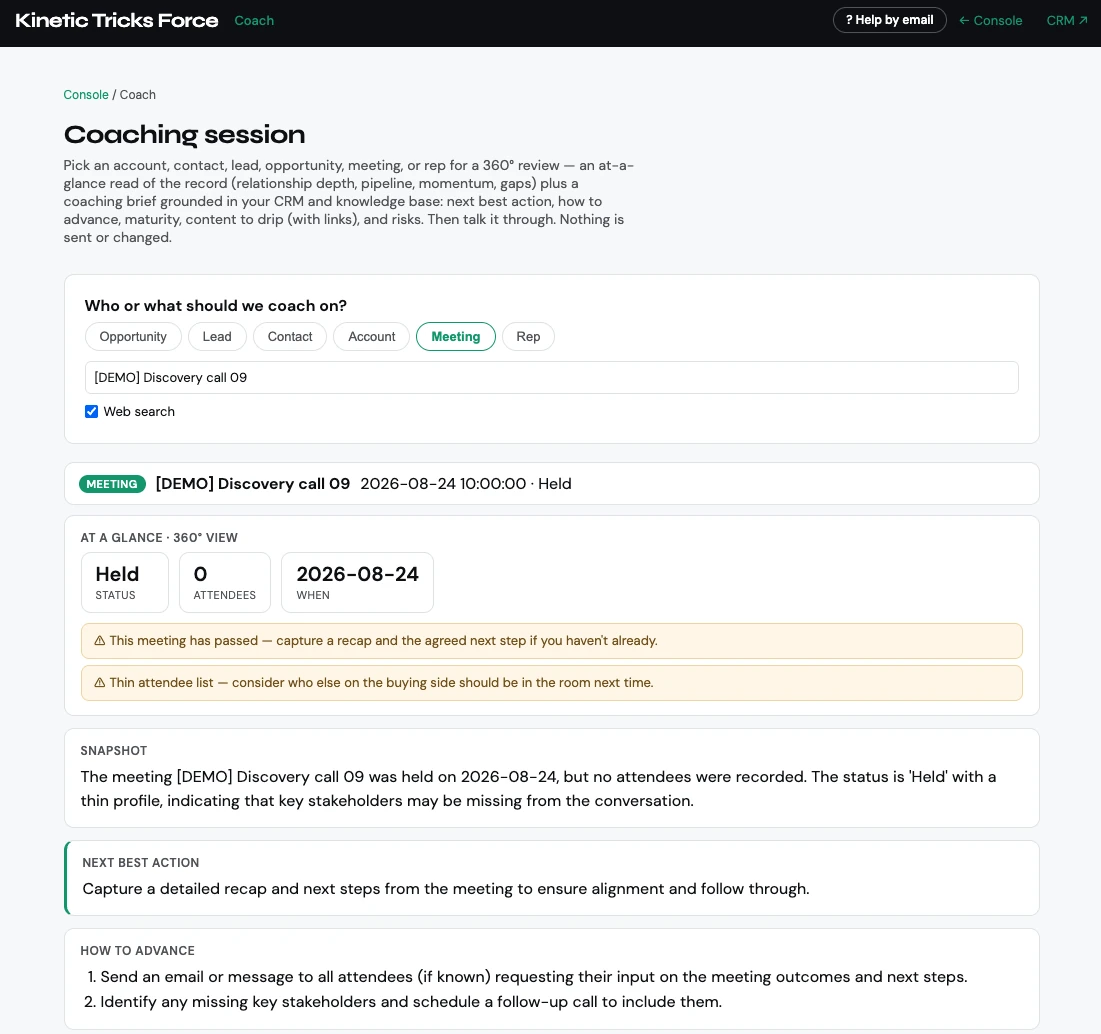
Get coached on any deal.
Pick an opportunity, meeting, account, or rep for a 360° read — stage, value, momentum, and gaps — plus a coaching brief with the next best action. It flags the risks a busy week hides, like a deal with no economic buyer attached or a meeting with no recap.
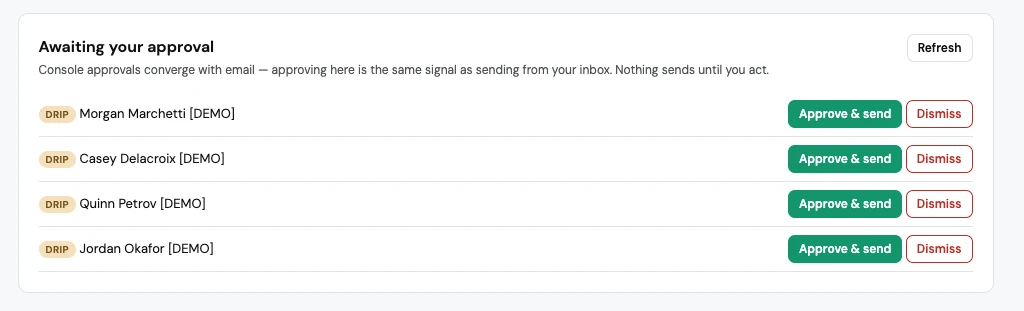
Approve from either door.
Drafts wait in one queue. Approving in the Console is the same signal as sending from your inbox, and nothing goes out until one of them happens.
The Monday rollup.
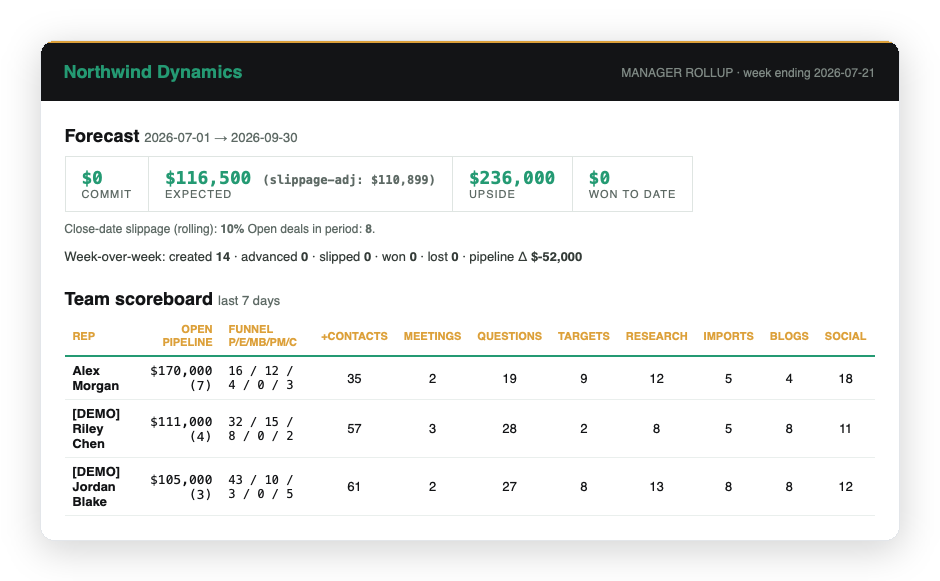
Commit, expected, and upside adjusted for close-date slippage, week-over-week movement, and a scoreboard of who is creating pipeline — built from captured activity, not self-reported optimism.
Settings you can actually read.
Every setting that affects how much AI your agents use is labeled as affecting spend on your key. You decide how many prospects per run, how often research refreshes, and how many posts go out a week.
See the Console on your own pipeline.
Fifteen minutes. We will show you both doors and you can decide which one you would use.