
How it runs
The work happens overnight. You decide in the morning.
Kinetic Tricks runs on a daily rhythm rather than a dashboard you have to remember to open. Research and drafting happen while you sleep. What reaches you is a short brief and a set of decisions.
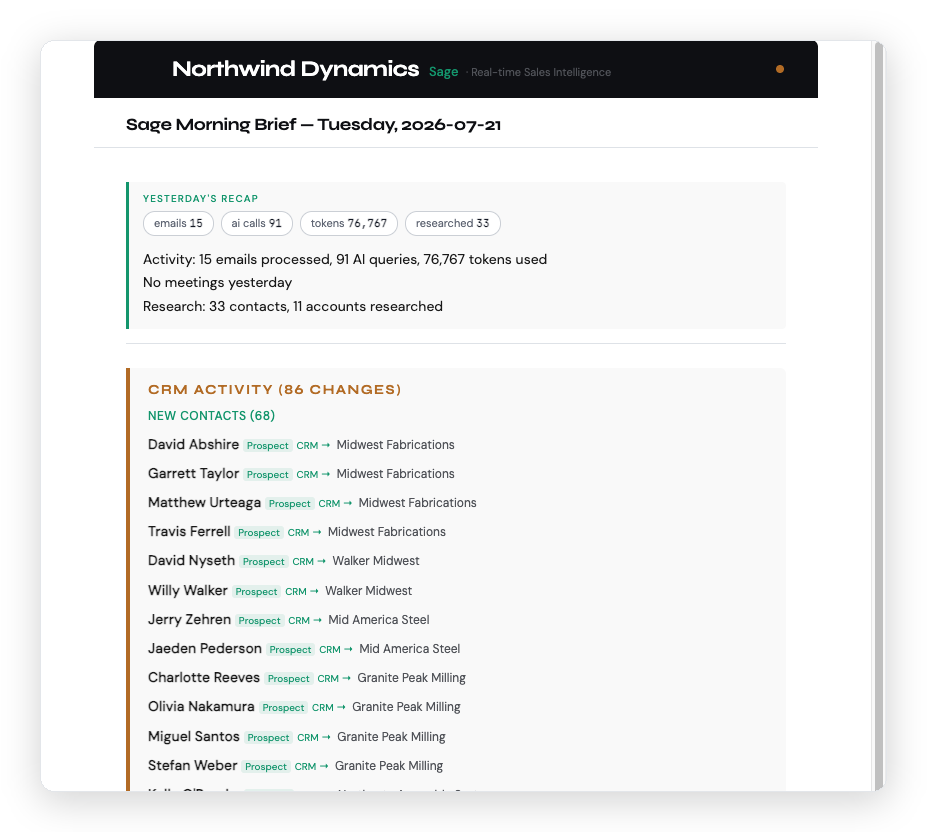
A day, end to end.
- Overnight. Sage researches the accounts and people you are meeting tomorrow, enriches new contacts, watches for buying signals, and drafts the outreach and follow-ups that are due.
- 8:00 AM. The brief arrives. Yesterday’s activity, what changed in the pipeline, which deals have gone quiet, and what needs your judgment today.
- Whenever you get to it. You read the drafts, edit what needs editing, and reply to approve. Nothing goes out before that.
- Through the day. Approved work executes. Meetings and email you handle normally get captured back into the CRM without you typing anything.
- Weekly. A pipeline report for you, a marketing report for the brand, and — if you have a team — a rollup across every rep.
What Sage does.
Sage is the sales side. It builds and maintains the record you were never going to keep by hand — and then uses it.
- Finds targets. Describe who you want in plain language and Sage returns researched accounts and named people, scored against your ICP.
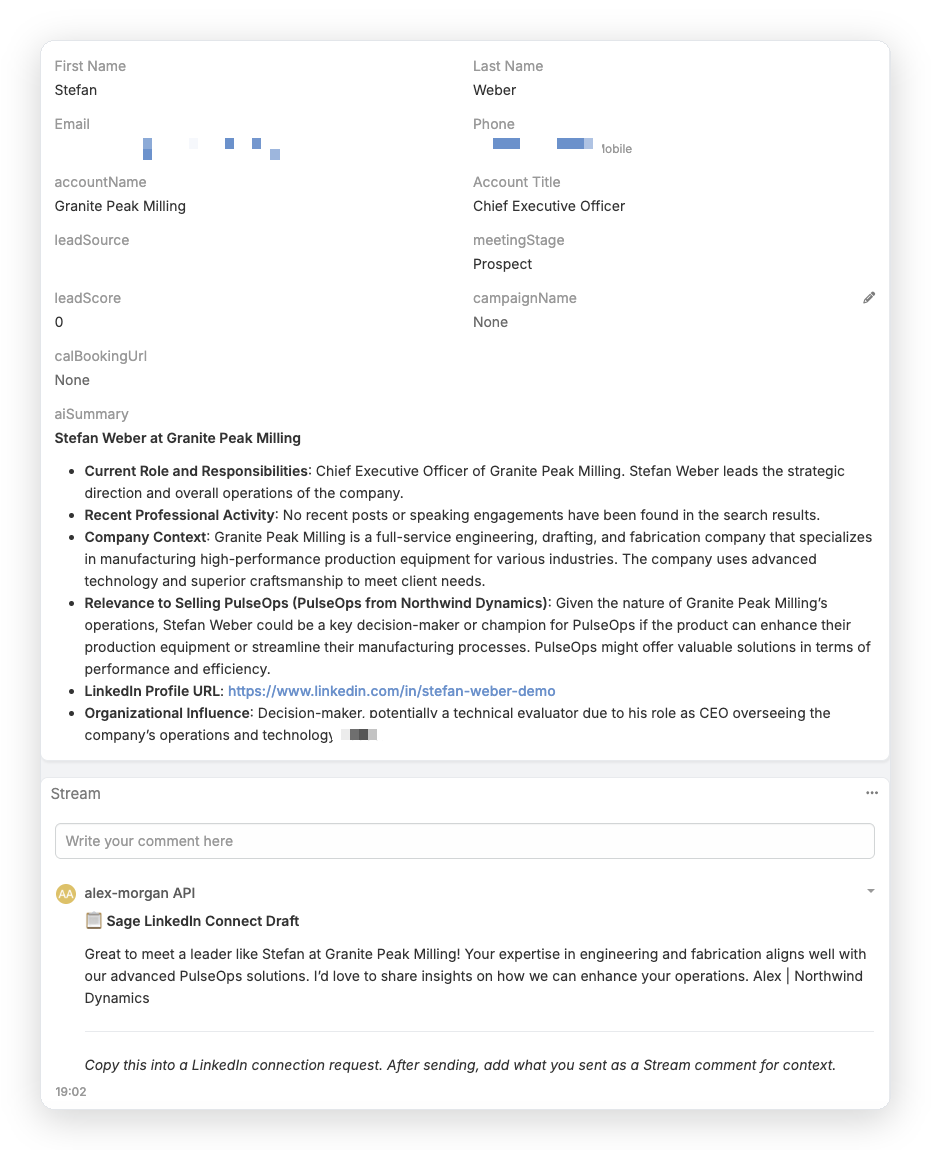
- Researches before you ask. Every contact gets a summary of role, company context, and why they are relevant to what you sell.
- Captures contacts automatically. People you email and meet appear in the CRM without a keystroke — often dozens in a day.
- Keeps the pipeline honest. Stage gates, cold-deal flags, and stale-record alerts, so the number reflects reality.
- Answers questions. Email it like a colleague — “who should I be talking to this week?” — and it answers from your data.
What Aria does.
Aria is the marketing side — the drumbeat that keeps you visible between conversations, so you are already familiar when a buying moment arrives.
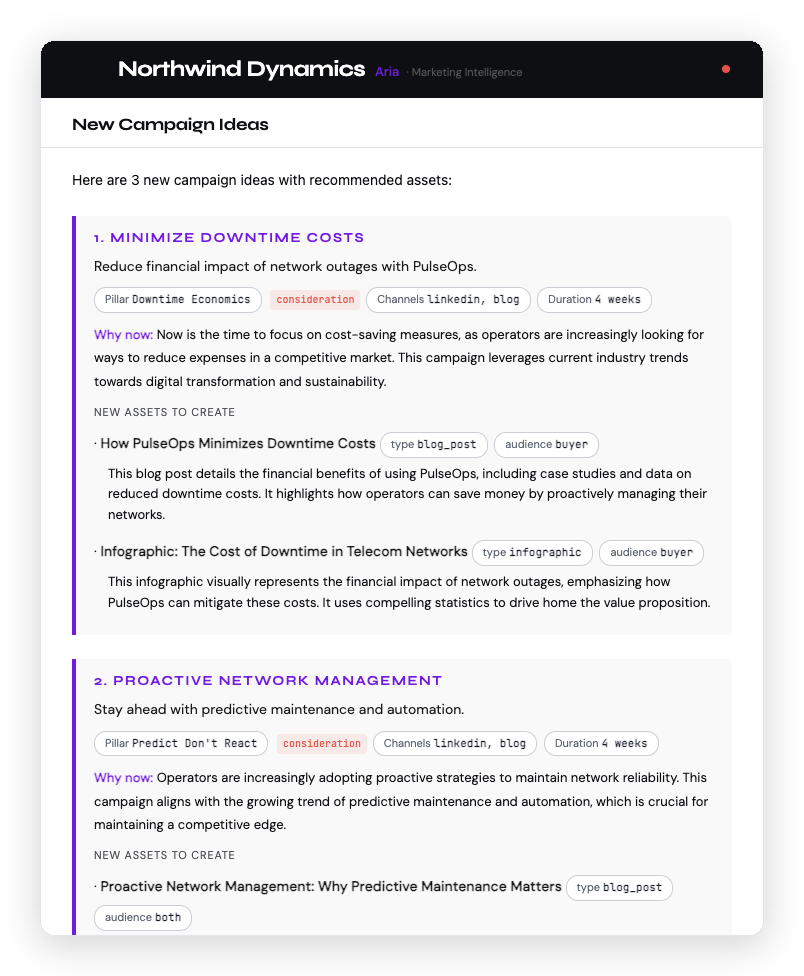
- Proposes campaigns. Monthly themes with the specific assets to build, and the reasoning for why now.
- Drafts the content. Blogs, social posts, and drip sequences in your voice, from your knowledge base.
- Schedules on approval. Queues posts with the timing and first-comment discipline each platform rewards.
- Tracks what it produced. Leads from form to CRM, and a weekly report tying content to pipeline.
The approval loop
Nothing sends until you say so.
This is the part that separates Kinetic Tricks from the autonomous outbound tools, and it is a property of the architecture rather than a setting. There is no switch that turns it off, because the sending path requires a human approval to exist at all.
Practically, it costs you a few minutes. The draft arrives written from real research; you reply to approve, or you edit and then approve. Most people spend the first week reading everything closely and settle into scanning by the third, because the drafts keep matching what they would have written.
What you keep is the thing that actually matters: your name never goes on a message you did not choose to send.
If you run a team.
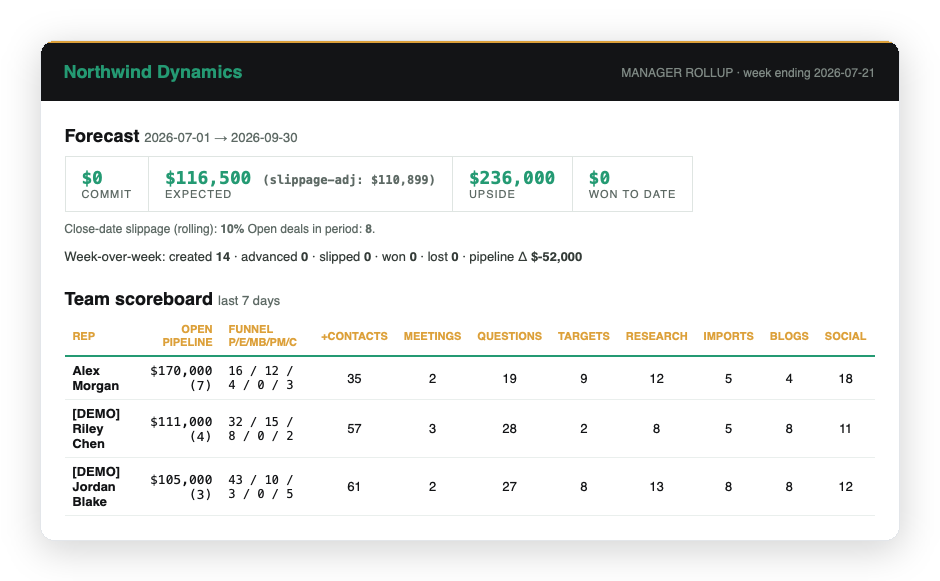
Every sales user gets their own Sage and Aria running their own pipeline. On top of that, the manager rollup gives you a weekly cross-rep view: commit, expected, and upside adjusted for close-date slippage, week-over-week movement, and a scoreboard of who is creating pipeline.
It is built from captured activity rather than self-reported optimism, which is what makes the forecast conversation different.
There is no app to learn.
The interface is email. Briefs arrive in your inbox; you reply to approve; you ask questions the way you would ask a colleague. There is no console, no seat to configure, and no adoption problem — which is the usual reason a sales tool fails, not because the software was bad but because nobody logged in.
Setup takes about thirty minutes of your time. We handle deployment, CRM and site configuration, knowledge-base ingestion, and tuning both agents to your voice and your ICP.
What it doesn’t do.
- It doesn’t sell for you. It removes the research, drafting, and record-keeping. The conversation, the judgment, and the relationship are still yours.
- It doesn’t run unattended. If you stop approving, work queues up rather than going out.
- It doesn’t fix positioning. If the offer isn’t landing, a consistent motion will establish that faster — which is useful, but it is not the same as fixing it.
See a brief from your own pipeline.
The evaluation deploys against your real data, not a demo environment. Fifteen minutes to find out whether it fits.