
Products · Sage
Your sales rep, sales ops, and research analyst — in one agent.
Sage is the Sales Automation & Guidance Engine. It runs continuously against your CRM, your inbox, and your calendar. It drafts for your review, in your inbox or the Console. It never sends on its own.
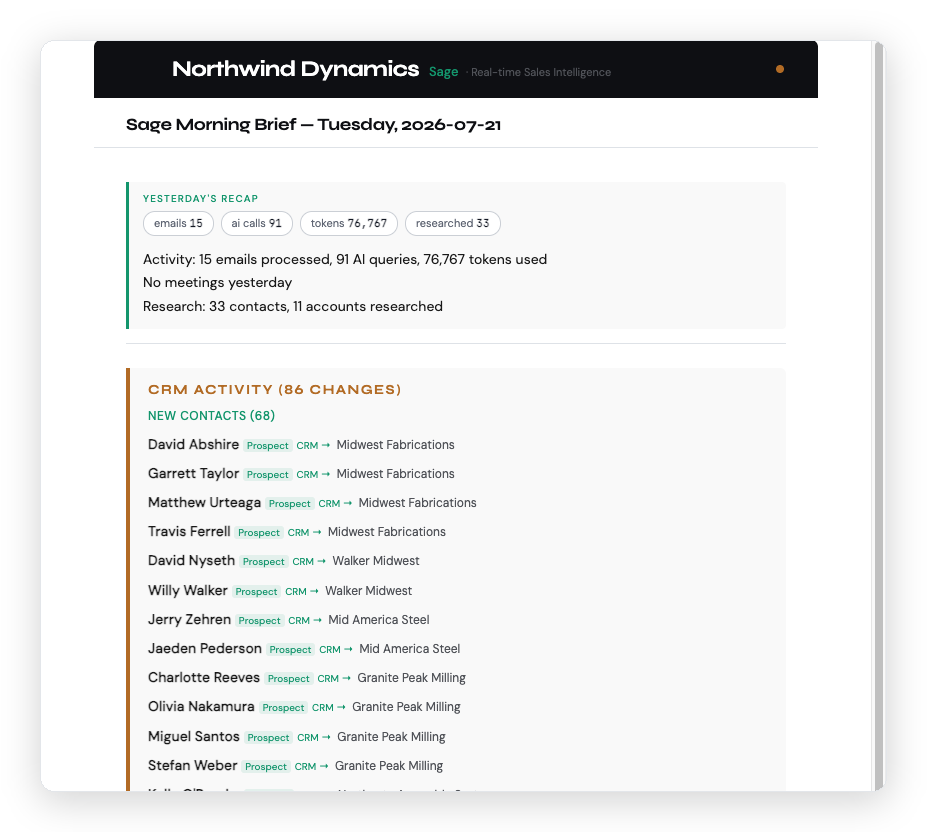
What Sage does, every day.
Sage runs on a fixed rhythm. You don’t schedule it. You don’t prompt it. It does its work and reports in.
Overnight
Nightly research
Researches tomorrow’s meeting attendees with live web search. Enriches new contacts. Refreshes stale accounts on a monthly rotation.
8am Mon–Fri
Morning briefing
Today’s meetings with attendee context, CRM changes, buying signals, recommended actions — and the drafts it has already started in your Drafts folder.
Through the day
Continuous CRM
Extracts contacts and accounts from your email. Logs meetings from call recaps. Updates notes. Flags cold deals.
The capability set.
Inbox operations
Reads your sales inbox. Drafts outreach, follow-ups, and LinkedIn connect messages. Every send requires your approval.
CRM
Pipeline discipline
Creates and updates contacts, accounts, and opportunities. Flags likely duplicates. Enforces pipeline stage gates. Maintains structured notes.
Research
Prospect intelligence
Live web search on attendees, companies, funding, and signals. New-contact enrichment on import. Monthly stale-contact refresh.
Ask it anything
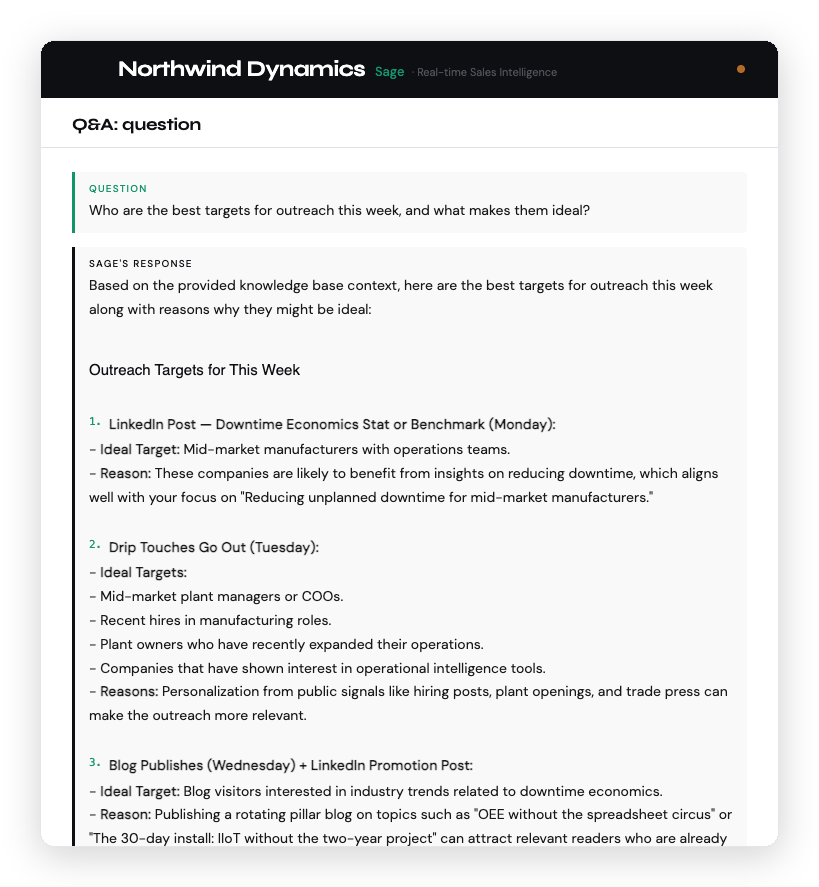
Ask Sage like a colleague.
Email a question, or ask in the Console. Sage answers from your knowledge base, your CRM, and — when you switch it on — the live web, and shows which of those each answer drew on.
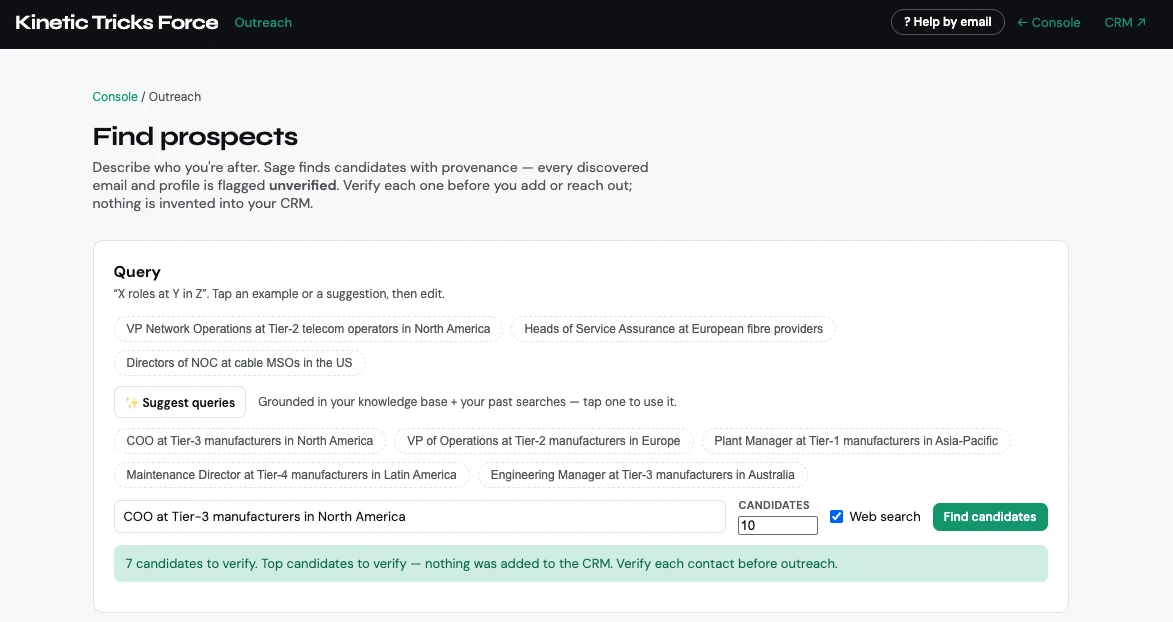
Find prospects on demand.
Describe who you want — “X roles at Y in Z” — and Sage returns candidates with where it found them. Every discovered email and profile is flagged unverified, and nothing enters your CRM until you check it. For searches you want running every week, use Scout.
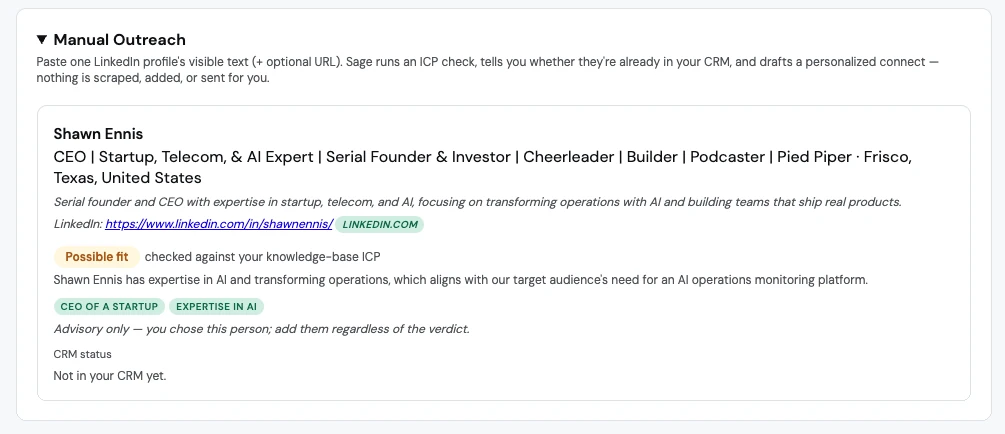
Found someone yourself? Paste their public LinkedIn profile text and Sage checks them against your ICP, tells you whether they are already in your CRM, and drafts a personal connection request for you to send.
Get coached on any deal.
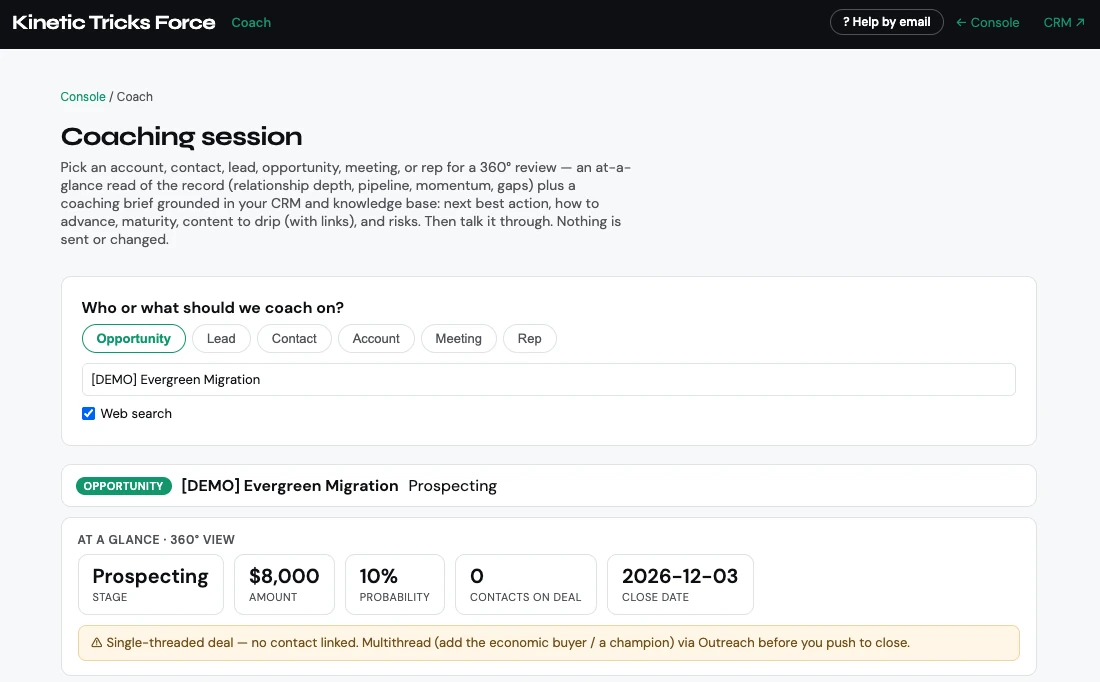
Pick an opportunity, meeting, account, or rep. Sage reads the record — stage, value, contacts, momentum — and writes a coaching brief with the next best action. It catches what a busy week hides, like a deal with no economic buyer attached.
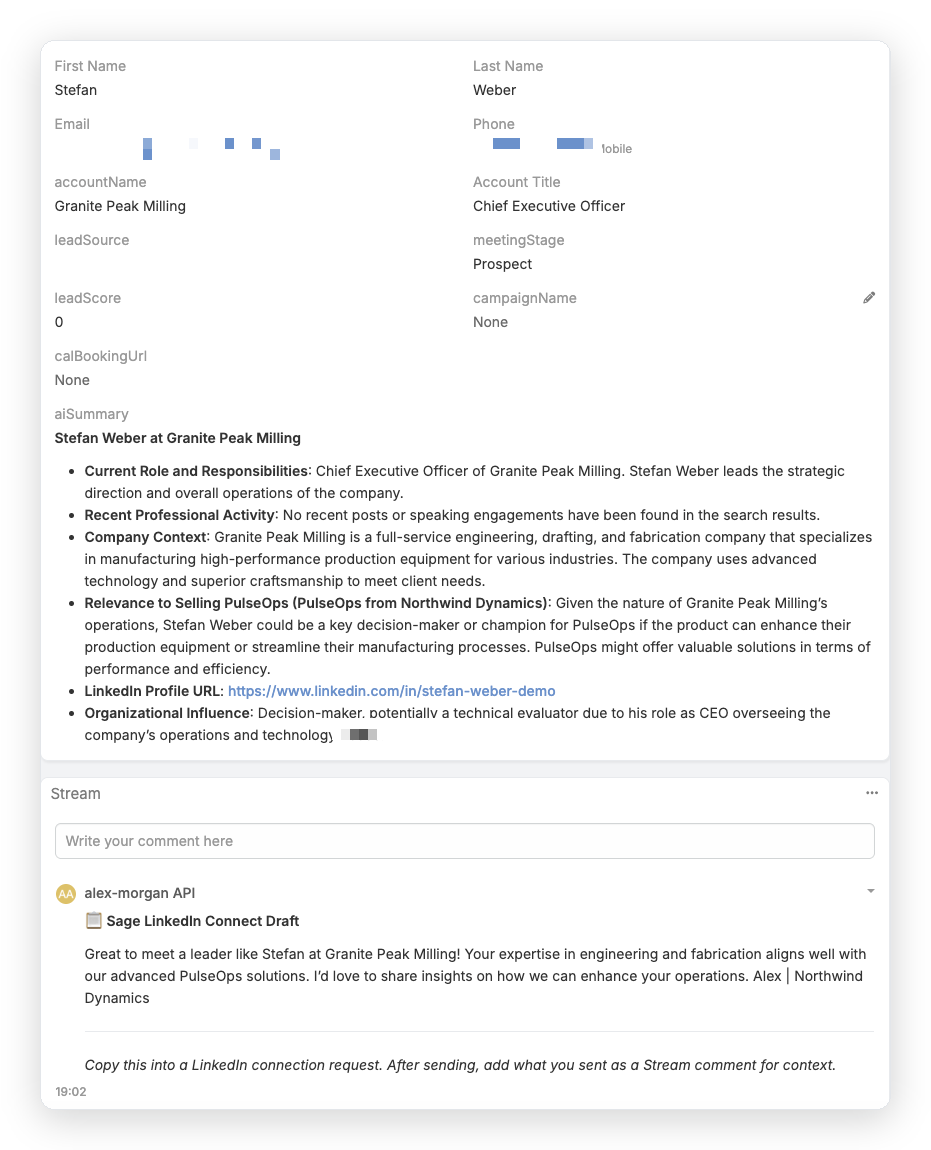
It researches every contact before you need it.
New contacts don’t sit as names and email addresses. Sage researches each one — role, company context, and why they are relevant to what you sell — so the record is useful the moment you open it.
How Sage is built to behave
The operating principles.
Four rules shape how Sage works. The first is enforced by the architecture. The other three are how Sage is built to handle uncertainty — out in the open, where you can check it.
01
Never auto-sends
Every outbound email, LinkedIn message, and external-facing action requires explicit human approval. Sage drafts; you send.
02
Shows what it hasn’t verified
Discovered emails and profiles arrive flagged unverified, and nothing enters your CRM until you check it.
03
Flags, doesn’t assume
On likely duplicates, stage conflicts, or ambiguous data, Sage flags the question to you instead of acting. You adjudicate.
04
Shows its sources
Answers say whether they came from your knowledge base, your CRM, or the live web — so you can check a claim before you repeat it.
See Sage in action.
The best way to understand Sage is a live walkthrough — your CRM, your inbox, your morning brief. Book fifteen minutes and we’ll show you what the first week looks like.